
Does your website have a search box? A search function gives you a source of information you can use in several ways.
Add to your content
When looking for something, some visitors will try to navigate your site using the menu. Others prefer to use the search function right away. That makes your search box a window into your visitors’ minds: use it to find out what they want.
You can use site search analytics to add missing content on your website. You may find that visitors are looking for something – such as a product, a service, or piece of information – that is not available on your website. Consider writing an article about it, adding it to your assortment, or referring visitors to something similar.
Site search is the one place where users tell you in their own words what they want from your site.
Louis Rosenfeld
Improve traffic from search engines (SEO)
Site search and web search are two different things. However, you can still use queries from your own site search to get better traffic from search engines.
Site search analytics will tell you what visitors are looking for. Their searches provide you with information you won’t find anywhere else.
Take a close look at your users’ choice of words. Are you using the same words they are? For instance, site search might reveal that your visitors search for business while you’re using the word company.
If you update your content to reflect this, you will be speaking the same language as your audience. This, in turn, will improve your chances of being found via search engines.
Gain insight into queries using Google Site Search
Where can you find all of this information? Google Site Search makes it easy. You can set this up for your website in just a few clicks. All you need is a Google Analytics account.
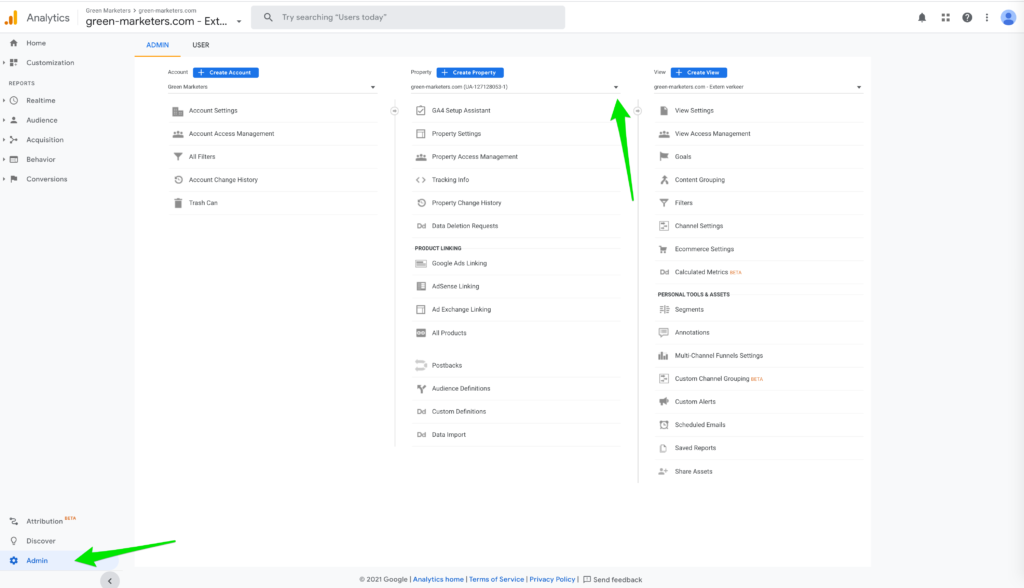
Log in to Google Analytics and click on ‘Admin’. Select the account, property, and view that you need. Go to ‘View Settings’ in the ‘View’ column. Next, turn on ‘Site Search Tracking’ under ‘Site Search Settings’.
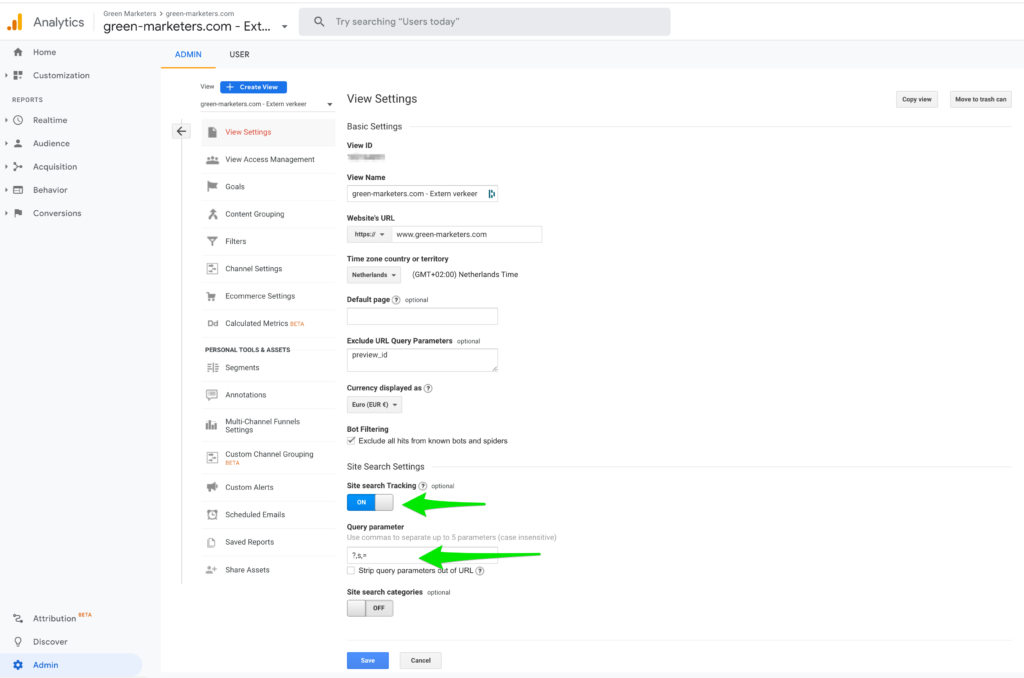
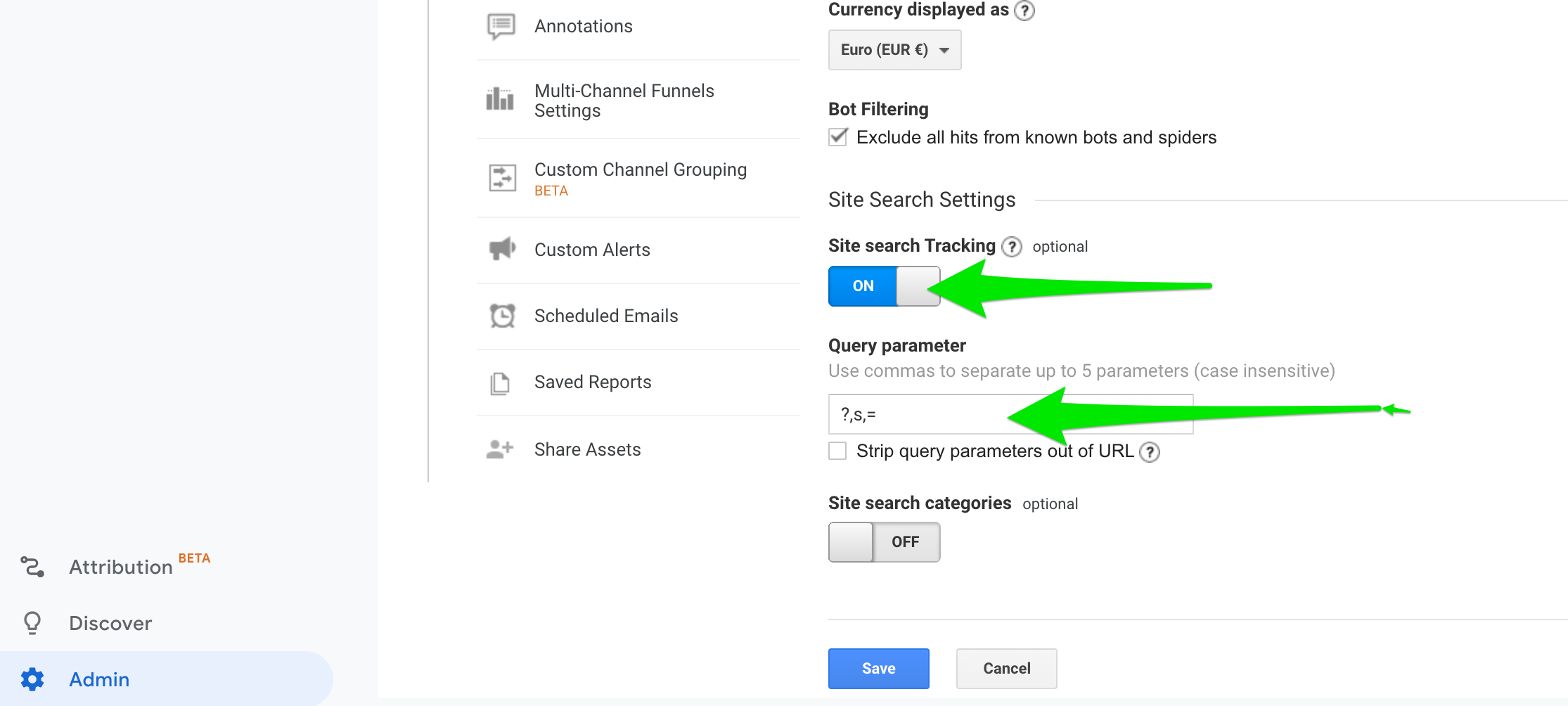
Next, fill in the query parameters. Choose a word by which to identify query parameters on your website. This might be a word or a combination of words, such as ‘search term’, or it could just be a letter, such as ‘s’. Input a maximum of 5 parameters, separated by commas.
Query strings and query parameters
A query string is the part of a URL that communicates parameters to a script interpreter.
In many cases a query string begins with a question mark (?). Different parameters tend to be separated by an ampersand (&).
For example:
?parameter1=value1¶meter2=value2¶meter3=value3
(Wikipedia)
For more information, check out the Google Support article on how to set up Site Search.
Need some advice?
Need advice about how to set up a search function on your website? Or do you have any other questions about web design, web development or marketing? Get in touch!
References
- Search Analytics for your Site, Louis Rosenfeld (2011)